
Scan · Count · Done
Count your shop
in minutes.
Magpie makes stocktaking simple for independent shops. Scan products, adjust quantities, see what’s running low, and share your inventory with your team — from the iPhone in your pocket.
iPhone & iPad Free to start · no Magpie account Your inventory stays in your iCloud
Inventory shouldn’t become another full-time job.
Spreadsheets go out of date. Paper count sheets get misplaced. And complicated inventory systems can take more time to manage than the stock itself. Magpie helps your team count what is actually on the shelf.
The spreadsheet is a week behind
It was right on Sunday. Then three deliveries and a busy Saturday happened.
The count sheet is behind the till
Somewhere. Under the receipt roll, probably, with half the aisle still to do.
The software needs a training day
Warehouse tools assume a warehouse team. You have a shop and two people on shift.
A stocktake that fits between customers.
Four steps, one phone. Start a count, work the shelf, and finish before the next delivery lands.
Scan
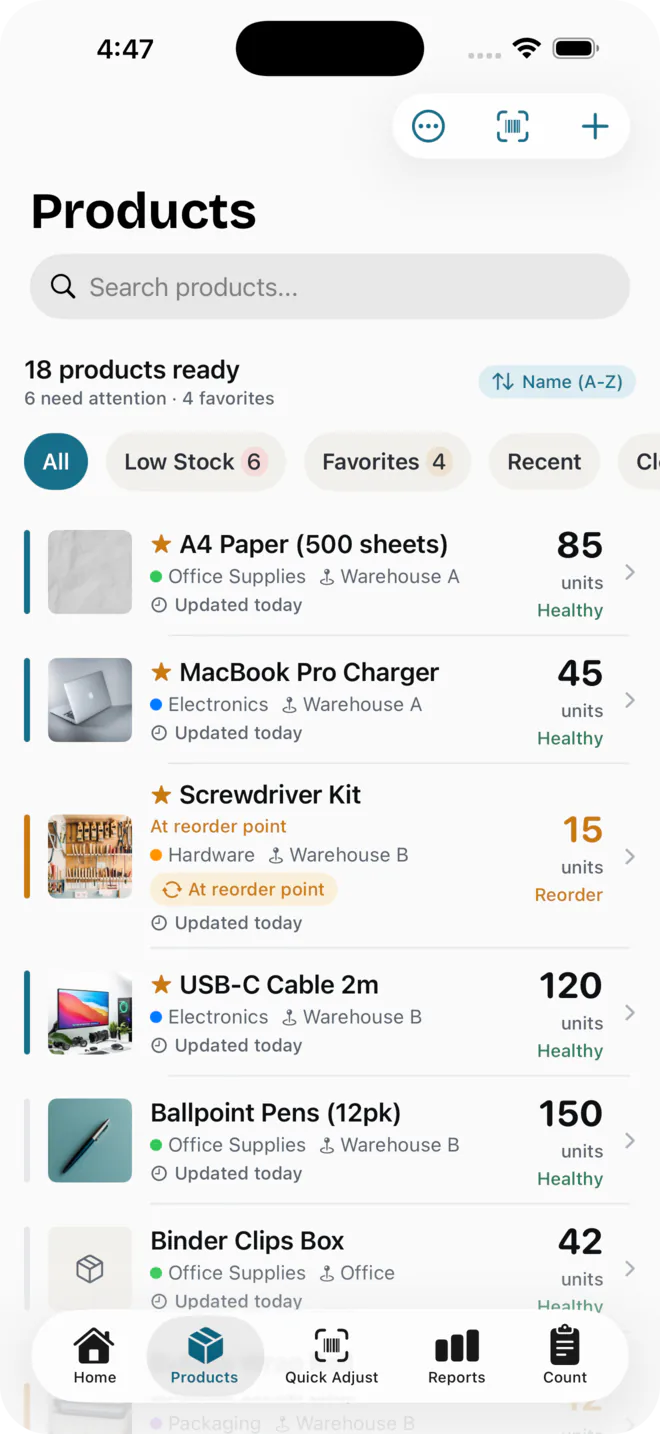
Point your iPhone camera at a barcode to bring the product up. No barcode on the tag? Search by name instead.
Adjust
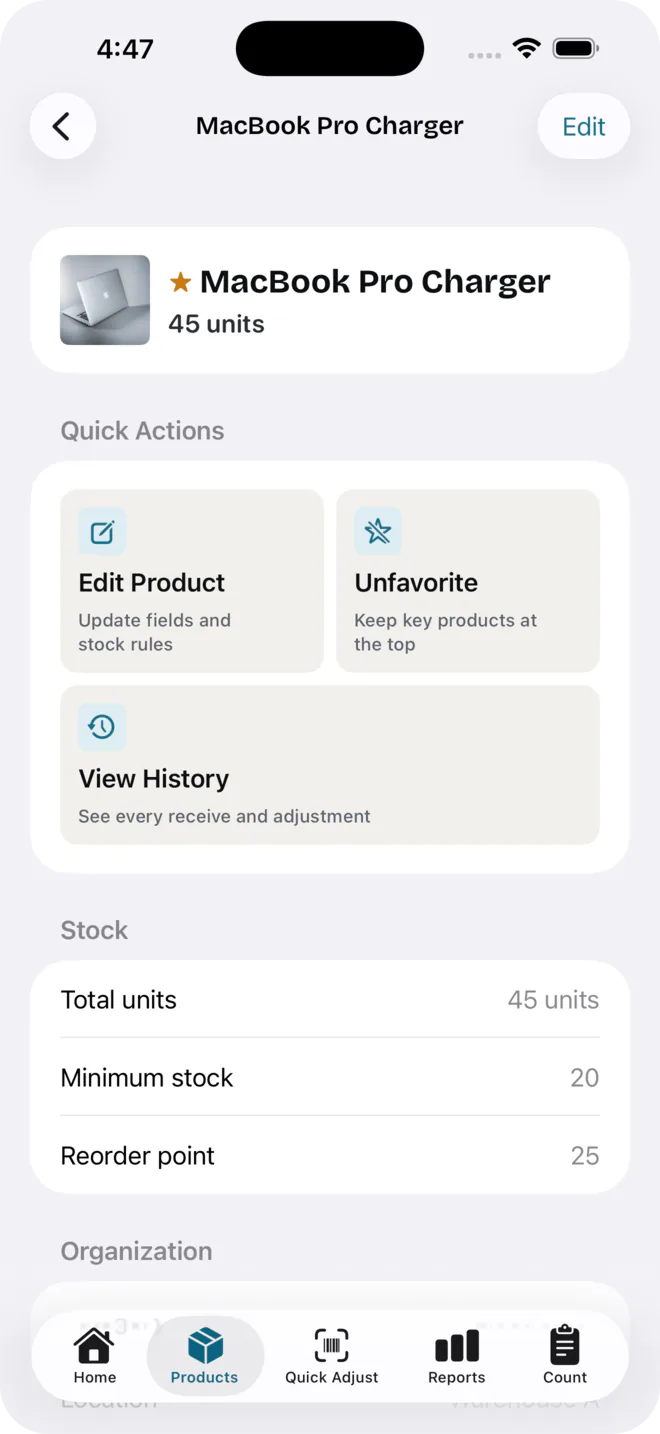
Tap +1 or −1 as you count. Changes are saved as you make them — there’s no save button to remember.
See what’s low
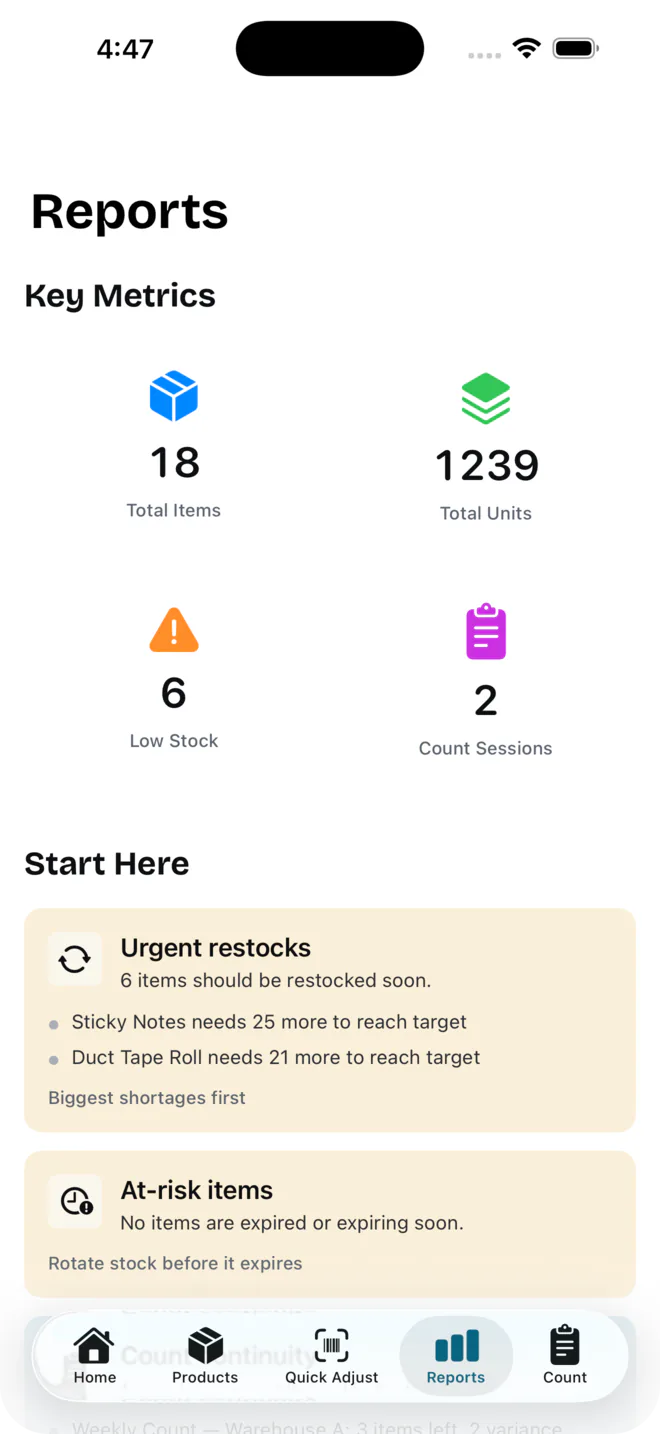
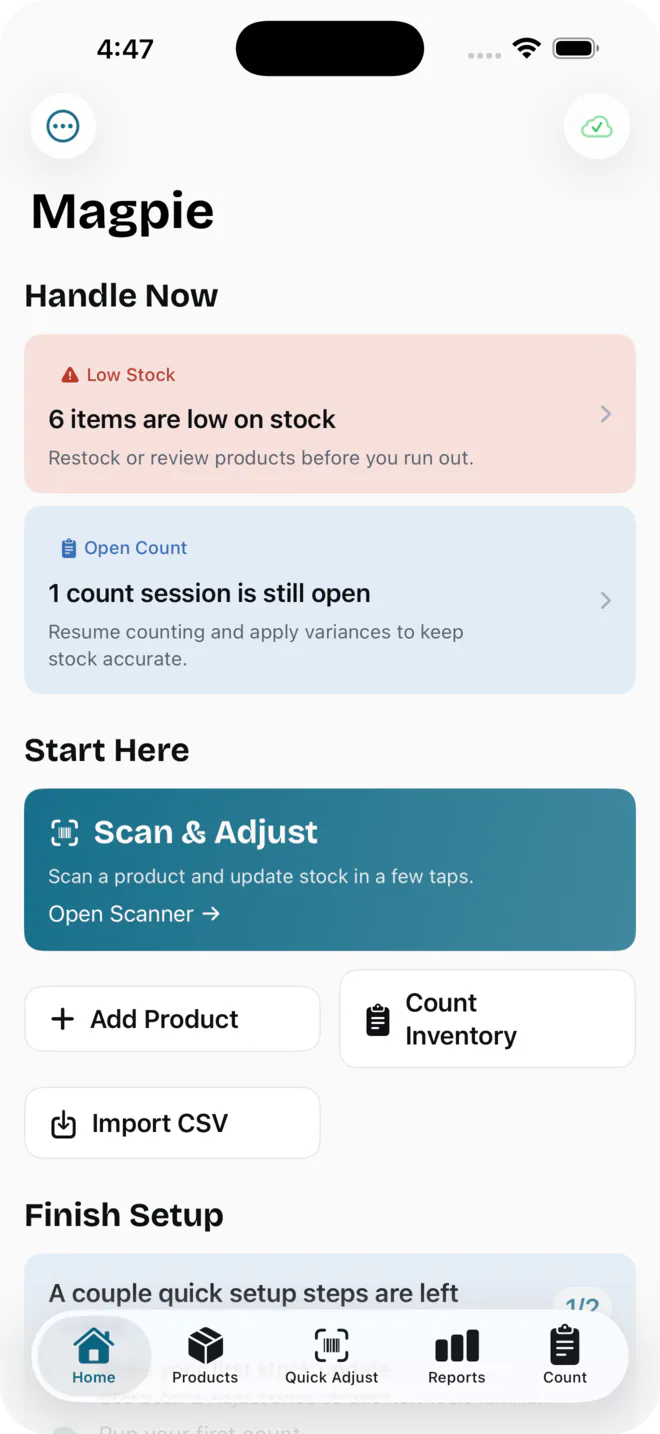
Home shows what’s low, what’s expiring and which counts are still open, with alerts when stock drops below the level you set.
Share
On the Team plan, invite staff with a link. Everyone works from the same shop, and the price doesn’t change when you add people.
Made for the way small shops work.
Fast stocktakes
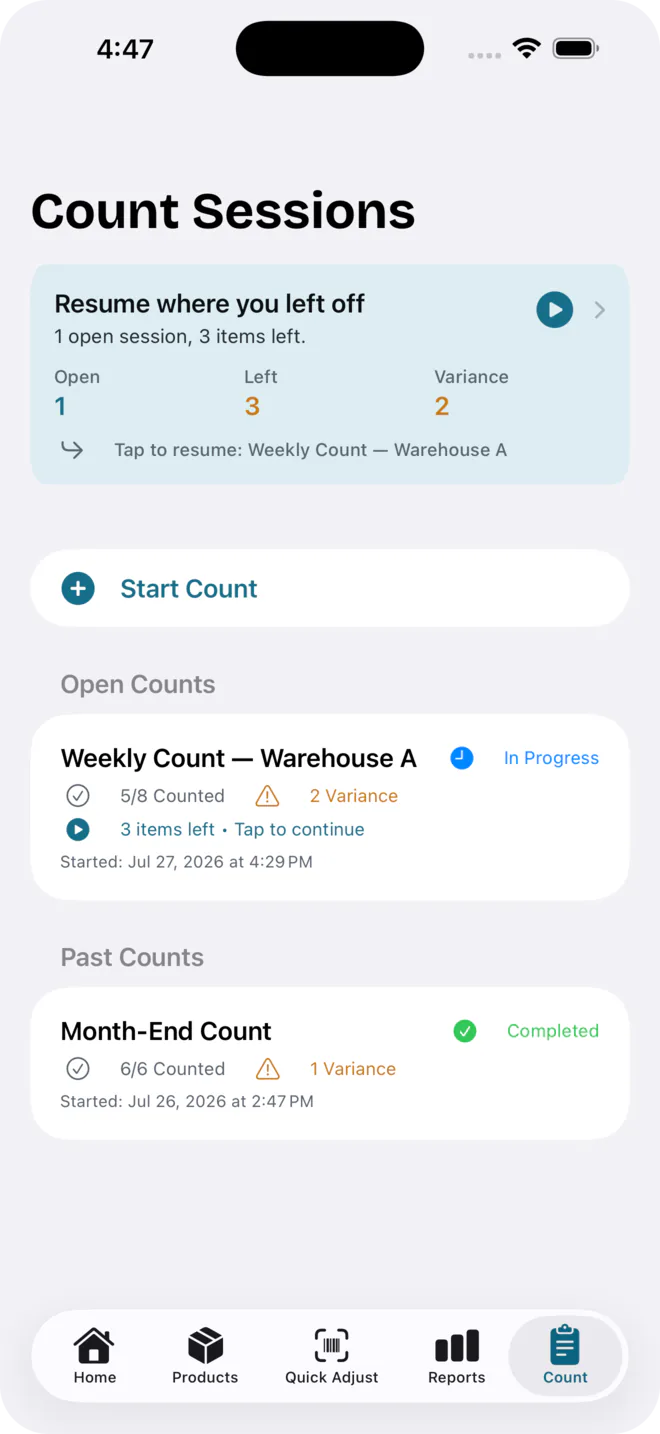
Start a count session, work through the shelf, and see the variance against your records before you apply it.
Simple for staff
Scan, change the number, move on. There isn’t much to learn before someone can help you count.
Shared with your team
The Team plan shares one shop over iCloud — products, categories, locations, suppliers and counts stay in sync.
No per-person fees
Team is one flat price for the shop. Adding another member of staff doesn’t change the bill.
Works on the shop floor
A native Apple app for iPhone and iPad. Scanning and adjusting stock keep working when the Wi-Fi drops.
Import and export
Start from a CSV of the spreadsheet you already keep. Export inventory, valuation, low-stock and movement reports on Pro and Team.
Your inventory, in your iCloud.
Magpie uses iCloud to keep your inventory available across your Apple devices and shared with the people you choose. There is no separate Magpie account to manage.
You use the Apple Account you already have
Syncing and team sharing run on the Apple Account (Apple ID) signed in on your device. Magpie has no login of its own.
Invites go out as a link
Send an invite from the app by Messages or email. Each teammate joins with their own Apple Account — and you can see who has joined and remove anyone from the same screen.
iPhone and iPad
Magpie is a native Apple app. There is no Android or web version, and no browser tab to keep open.
We don’t run servers holding your stock
Your inventory lives on your device and, on Pro and Team, in your own iCloud account.
For independent shops, not warehouses.
Magpie is designed for boutiques, gift shops, vintage stores, jewellery shops, and specialty retailers that want accurate stock without adopting a complicated warehouse-management system.
More ways people use Magpie
Studios, workshops, stockrooms, churches and schools track supplies with it too. The app is built around the shop floor first — those uses work, they just aren’t what it’s designed around.
A good fit if
- You run one shop with roughly 100–3,000 products
- You count the same shelves again and again
- Staff should be able to help count without a training day
- You’d rather not pay for every person who touches inventory
Bring your inventory with you.
Already have a spreadsheet? Save it as a CSV and import it. Magpie walks you through matching your columns, so you can start counting from the stock list you already keep.
The app includes a template CSV you can download and fill in if you’d rather start from a clean sheet.
- Only a product name is required — everything else is optional
- Barcode, quantity, cost, price, category, location, minimum stock, supplier, supplier SKU and reorder point all import
- Choose to create new products, update existing ones by barcode, or both
- Included on every plan, Free as well
Share with your team without paying per person.
Most inventory apps charge for every person you add — so growing your team quietly grows your bill. Magpie’s Team plan covers your whole shop for one flat rate. Add staff, not line items.
Start free. Grow when you’re ready.
Every paid plan starts with a 7-day free trial. No Magpie account, no per-seat maths — subscriptions are billed by Apple and you cancel in your Apple Account settings.
For trying Magpie
No trial clock
No trial clock
Enough to count a small shelf and see whether it fits how you work.
- Up to 50 products
- Barcode scanning & adjustments
- Count sessions with variances
- Low-stock & expiration alerts
- CSV import
- One device — no iCloud sync
For one shop owner
7-day free trial
$119.99 billed yearly · save 33%
Unlimited stock, synced across the Apple devices you own.
- Everything in Free
- Unlimited products
- iCloud sync across your own devices
- Reports and valuation
- CSV and PDF export
For shops with a team
7-day free trial
$249.99 billed yearly · save 30%
Everything in Pro — shared with the people who work your floor.
- Everything in Pro
- Share one shop with your team
- One flat price — no per-person fees
- Invite by link, remove people anytime
- Invite as edit or view-only
Prices shown in US dollars. App Store prices vary by country, and the price you see in the app is the one you pay.
Built for shops, priced for shopkeepers.
Sortly and inFlow are both capable tools — but they cap your users and products by tier and keep your data on their servers. Here’s how Magpie stacks up against the apps small shops actually shortlist.
| Feature | UsMagpie | Sortly | inFlow |
|---|---|---|---|
| Lowest paid plan | $14.99 / mo | $49 / mo | $186 / mo |
| Share with your whole team | $29.99 / mo flat | $149 / mo+ | $436 / mo + user packs |
| Extra cost per person | None — one flat price | Higher tier for more users | $29–49 per 5 users |
| Free plan | 50 products | 100 items · 1 user | 14-day trial only |
| Products on the paid plan | Unlimited | 500 on entry tier | Capped by plan |
| No account — data in your own iCloud | — | — | |
| Apple-native for iPhone & iPad | — | — |
Competitor pricing from the public pricing pages of Sortly and inFlow, July 2026.
Full breakdowns: Magpie vs. Sortly · Magpie vs. inFlow